


Dice Rollers - Roll To Play
4.7235.00 Reviews
App Specs
- Version
- 1.0.24330
- Updated On
- License
- Free
- Downloads
- 50,000+
- Developer
- FunCraft Games
- Categories
- Board
- Platform
- Android
Screenshots
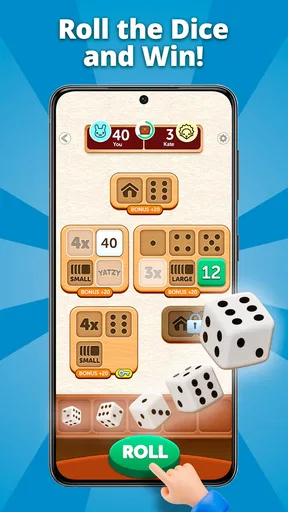

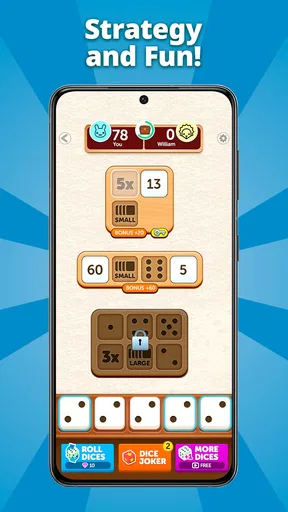

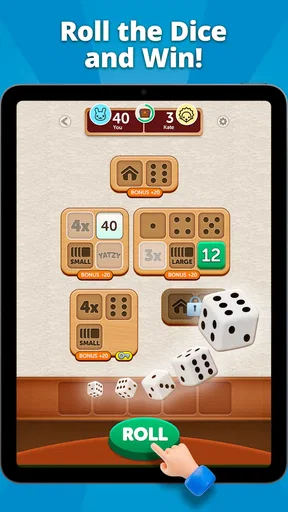

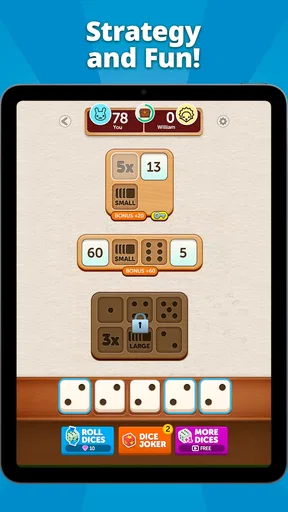

 Analysis by AppCompare
When I choose a digital dice game, I care less about grand promises and more about whether it suits the moment: a quick decision, a casual game with friends, or a tabletop session where reaching for physical dice is inconvenient. Dice Rollers - Roll To Play is a free board game from FunCraft Games, and its appeal is straightforward: it puts dice-based play on a phone. That makes it worth considering if you want an easy way to get a roll going, though it won’t automatically replace the feel or flexibility of a physical set.
Before installing, I’d think about what you actually need from a dice app. If the main goal is to settle a small choice or support a game night, ease of use matters more than an elaborate feature list. If you rely on a particular tabletop ruleset, you’ll want to check that the available dice and roll options fit your game rather than assuming every specialized rule is covered. The useful question is not whether a digital roller can do everything, but whether it removes enough friction for the way you play.
A handy fit for casual play and quick decisions
A phone-based roller is at its best when nobody has dice nearby, the table is crowded, or a group wants to keep a game moving. Picture a relaxed evening when friends are choosing who goes first: opening a dice app is quicker than searching a drawer, and everyone can see the result. It can also be useful when you’re trying a tabletop game for the first time and don’t want to buy accessories before deciding whether the hobby is for you.
For solo players, the appeal is different. A digital roll can make a short break feel like a small game instead of another stretch of scrolling, and it’s easy to have a tool ready when you’re testing an idea for a session. I’d treat it as a practical companion rather than a complete substitute for a tabletop setup: a phone gives you convenience, while physical dice bring tactile feedback and a shared ritual that many groups enjoy.
The game is rated for Everyone, which makes it a reasonable option to consider for mixed-age casual play. It has a 4.7 average from around 2,200 ratings and has passed 50,000 installs. Those figures suggest it has found an audience, but they don’t tell me whether its particular dice options match a specific group’s habits. I’d still test the app with the kind of roll you use most before making it the default for a longer campaign.
What Makes Dice Rollers Stand Out?
First off, let’s talk about the interface. The app is slick and intuitive, making it a breeze to navigate. The moment you open it, you're greeted with a neat and minimalistic design that’s both easy on the eyes and straightforward. No clutter here, folks! Just pure dice-rolling fun.
The app offers a variety of dice options, perfect for any kind of game. You’ve got your classic six-sided dice, but there are also options for four-sided, eight-sided, and even twenty-sided dice. It’s like having a full set of gaming dice right in your pocket, ready for whatever game night might throw at you.
Worth Reading Before You Choose

EA SPORTS FC Mobile 26 Is a Bigger Football Game, but It Takes Time

Flipboard Shows What News Apps Must Do Beyond the Feed

Switching to Android Auto Means Rethinking Your Driving Routine

Google Calendar Makes a Crowded Week Easier to Manage

Ludo King Makes the Most of the Minutes Between Plans

Baby Panda World Brings Quick Play to Modern Phones, but Its Game Library Feels Busy
Features You'll Love
So, what’s under the hood of this nifty little game? Let me break it down for you:
- Customizable Dice: You can personalize your dice with different colors and styles. It’s a small touch, but it makes the app feel a bit more personal.
- History Tracking: Need to keep track of your rolls? No problem! The app keeps a log of your previous rolls, which is perfect for those long campaigns where keeping score is everything.
- Multiple Dice Rolling: You can roll multiple dice at once, which is a game-changer for those epic battles in your RPG sessions.
- Sound Effects: The satisfying clatter of dice rolling is captured perfectly, adding an extra layer of immersion to your games.
One of my favorite features has to be the ability to simulate different dice-rolling scenarios. It's not just about rolling a few dice; you can actually simulate complex rolls with different modifiers and conditions. It’s like having a mini game master right on your phone.
Performance and Usability
Performance-wise, Dice Rollers - Roll To Play is as smooth as butter. I've used it on both Android and iOS, and the experience is seamless across both platforms. Whether you’re using it on a high-end device or an older phone, the app runs without a hitch.
The developers have done a fantastic job optimizing the app. It doesn’t hog your phone’s resources, so you don’t have to worry about it slowing down your device or draining your battery. You can get lost in your games for hours without a second thought.
When another kind of dice tool makes more sense
Compared with a physical dice set, the clearest advantage here is portability: your phone is already with you, and the history log can help you review earlier results during a session. The trade-off is social and sensory. A real die can be passed around, heard on the table, and checked by everyone at a glance; a phone places the roll on one person’s screen. For a group that values the shared act of rolling, physical dice may still feel fairer and more fun.
Other digital rollers can be a better fit when you need a narrow specialist tool, such as a workflow built around a particular ruleset or a display that suits a large table. I wouldn’t switch from a tool your group already understands just for novelty. The practical test is whether this app’s dice choices, roll handling, and history fit the rolls you make regularly. If you need a result everyone can inspect, show the screen to the group and agree on the roll before using it for an important outcome.
A small habit can make the history feature more useful: use it to check what happened during a session, not as a substitute for a shared record of decisions. A roll log may help settle “what did we get a moment ago?” but campaign notes still belong somewhere the whole group can consult. Likewise, the sound can add atmosphere when you’re playing casually, while muting it may be more considerate in a quiet room or when you’re using the app for a quick, private choice.
What to check before making it your regular roller
If you’re coming from physical dice, switching is easy for simple rolls but may change how your group handles trust and visibility. I’d introduce it first for low-stakes decisions, then try a familiar game roll with everyone watching. That quick trial shows whether the available dice and controls are comfortable for your table before you rely on them in a tense moment. For a campaign, keep the app’s roll history in its proper role: a convenience for looking back, not a replacement for the group’s agreed notes or rules.
It is free to download, but it includes optional in-app purchases ranging from $0.49 to $49.99 per item. That range is a reason to look carefully at any purchase prompt rather than tapping through automatically. If you only want a basic dice companion, decide what you need before spending; paying makes sense only if an offered item solves a real problem for your play. The game’s current version is 1.0.24330, and it requires Android 7.0 or later on Android devices.
I’d skip it if you strongly prefer physical dice, need a specialized tabletop setup that the app’s available choices don’t cover, or want a full board-game experience rather than a dice-focused tool. It’s also not my first pick for a group that expects every roll to happen in a way that is visibly shared across the table. In those situations, physical dice—or a digital alternative chosen specifically for the group’s rules and presentation needs—will be more comfortable.
Why You Should Give It a Try
If you’re on the fence about downloading this app, let me give you a little nudge. It’s free to use, so there’s absolutely no harm in trying it out. Plus, the app receives regular updates, which means new features and improvements are always on the horizon.
Whether you’re a seasoned tabletop veteran or just dipping your toes into the world of RPGs, Dice Rollers - Roll To Play is a fantastic tool to have in your arsenal. It's like having a trusty sidekick that’s always ready to roll.
So, go ahead and give it a shot. Download the app, gather your friends, and get ready to roll those dice. Who knows? It might just become your new favorite app, just like it did for me.
Pros
- Intuitive user interface
- easy for beginners.
- Supports a variety of dice types and combinations.
- Customizable settings enhance user experience.
- Quick roll feature saves time during gameplay.
- Offline functionality ensures access anywhere.
Cons
- Limited advanced features for expert users.
- Occasional ads may disrupt the experience.
- No integration with other gaming apps.
- Lacks a community or social sharing option.
- Limited themes for dice customization.
FAQs for Dice Rollers - Roll To Play
What is Dice Rollers - Roll To Play?
Dice Rollers - Roll To Play is a versatile app designed for tabletop gamers who need a reliable digital dice solution. It allows users to roll multiple dice types and customize roll settings to suit various gaming scenarios. The app is ideal for role-playing games (RPGs), board games, and any situation where dice are essential.
How user-friendly is the interface of Dice Rollers - Roll To Play?
The app features a clean and intuitive interface that makes it easy for both beginners and experienced gamers to navigate. With straightforward controls and clear visual cues, users can quickly select dice types, adjust quantities, and view results, ensuring a seamless experience during gameplay.
Does Dice Rollers - Roll To Play support different types of dice?
Yes, Dice Rollers - Roll To Play supports a wide range of dice types, including d4, d6, d8, d10, d12, and d20, commonly used in various tabletop games. Users can select and roll different combinations of these dice, making it suitable for any game requiring complex dice rolls.
Can I customize my rolls in Dice Rollers - Roll To Play?
Absolutely! The app allows users to customize their rolls by adjusting the number of dice, adding modifiers, and setting custom roll rules. This flexibility ensures that players can tailor the dice rolling process to meet the specific needs of their gaming sessions, enhancing overall gameplay.
Is Dice Rollers - Roll To Play available offline?
Yes, Dice Rollers - Roll To Play is fully functional offline, making it a reliable tool for gamers who may not have consistent internet access. This feature ensures that users can enjoy uninterrupted gameplay, regardless of their location or connectivity status.


